


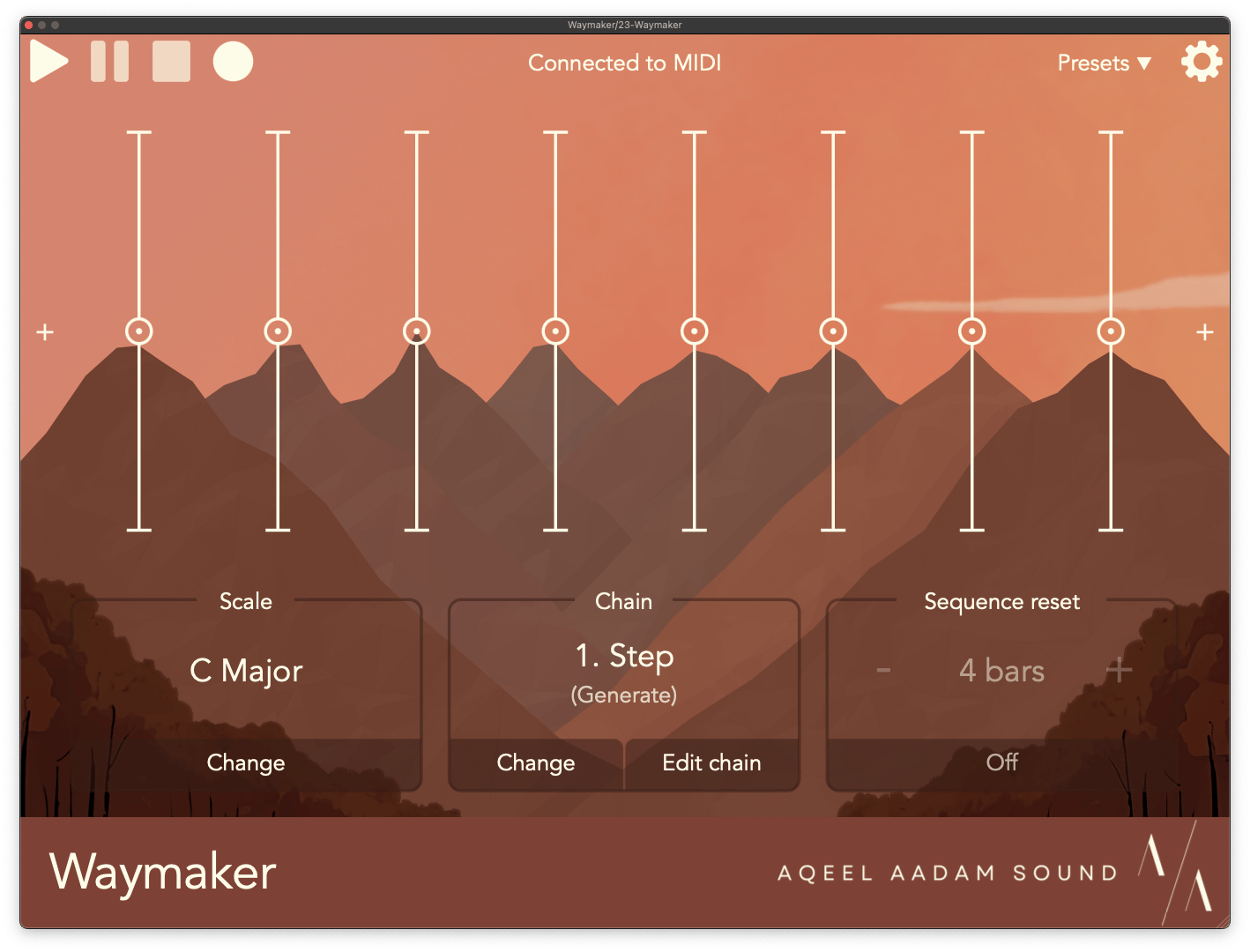
Waymaker version 1.1 is finally here! Read on below for a full list of updates, bug fixes, and a bit of a future roadmap. First, though, I’d like to talk a bit about why Waymaker is so special to me.
Get Waymaker - on sale for 2 weeks!
Background
Waymaker was originally inspired by my experience of composing using eurorack modular synths. Eurorack is often known for unique sound sources, effects, and modulation (plus generally being a pain to work with), but one of the unsung heroes of the format is the capability it offers with generating or manipulating melodies. In eurorack, a sequencer isn’t just a melody generator. They can be used to compound with other sequences or performances to modify them (i.e., as a “melodic effect”), or they can react to the timing of other sequencers, or they can even be used as a fully customizable oscillator.
Another unique capability of eurorack is the way that sequencers can be used as modulation sources, too. Sequencers can be used for much more than just generating beautiful melodies. They can be used to modify a loopers’ speed, a reverb’s room size, a delay’s timing division, or more. These are some of my favorite effects available in the format and have brought me a ton of joy. Bringing this experience to the DAW was the primarily motivation behind Waymaker’s ability to connect to Weeping Wall and Ridgewalk (and other future products!). This ecosystem is something that I’m super proud of, and I’m really excited to continue making it better and better.
Waymaker is also deeply rooted in my love of generative music (and art in general). Generative art often gets associated with “randomness”, but one of my goals with Waymaker was proving that there more to generative art than this. Generative art can be algorithmic, configurable, steerable – and fun, above all else. One of my favorite experience is to tweak one knob and end up in a completely different location than you started, but still having a sense of where you’re headed.
The update
After this update, I truly think that Waymaker is everything I’ve ever wanted in a sequencer. It continues to be both the melody generator and MIDI utility that I’ve always wanted for my own compositions. This update has taken me 8 months to put together, partially due the sheer scope of things I wanted to add, and partially due to juggling this update alongside the release of Outgrowth and the development of other upcoming products.
As I continue to learn and grow as a developer, I feel that there’s a standard of excellence that I want to strive for and hold myself to. I was proud of the original version of Waymaker, but I feel that it truly reaches that bar now. I want to ensure that every user, new or old, is getting the best experience that I can offer.
Furthermore, a massive number of the additions in this update originally came from suggestions by users. I think this speaks to the potential that everybody saw in the device, even when it wasn’t yet completely up to the snuff. I hope that after this update, Waymaker now lives up to what people dreamed it could be.
New additions
Arpeggiator
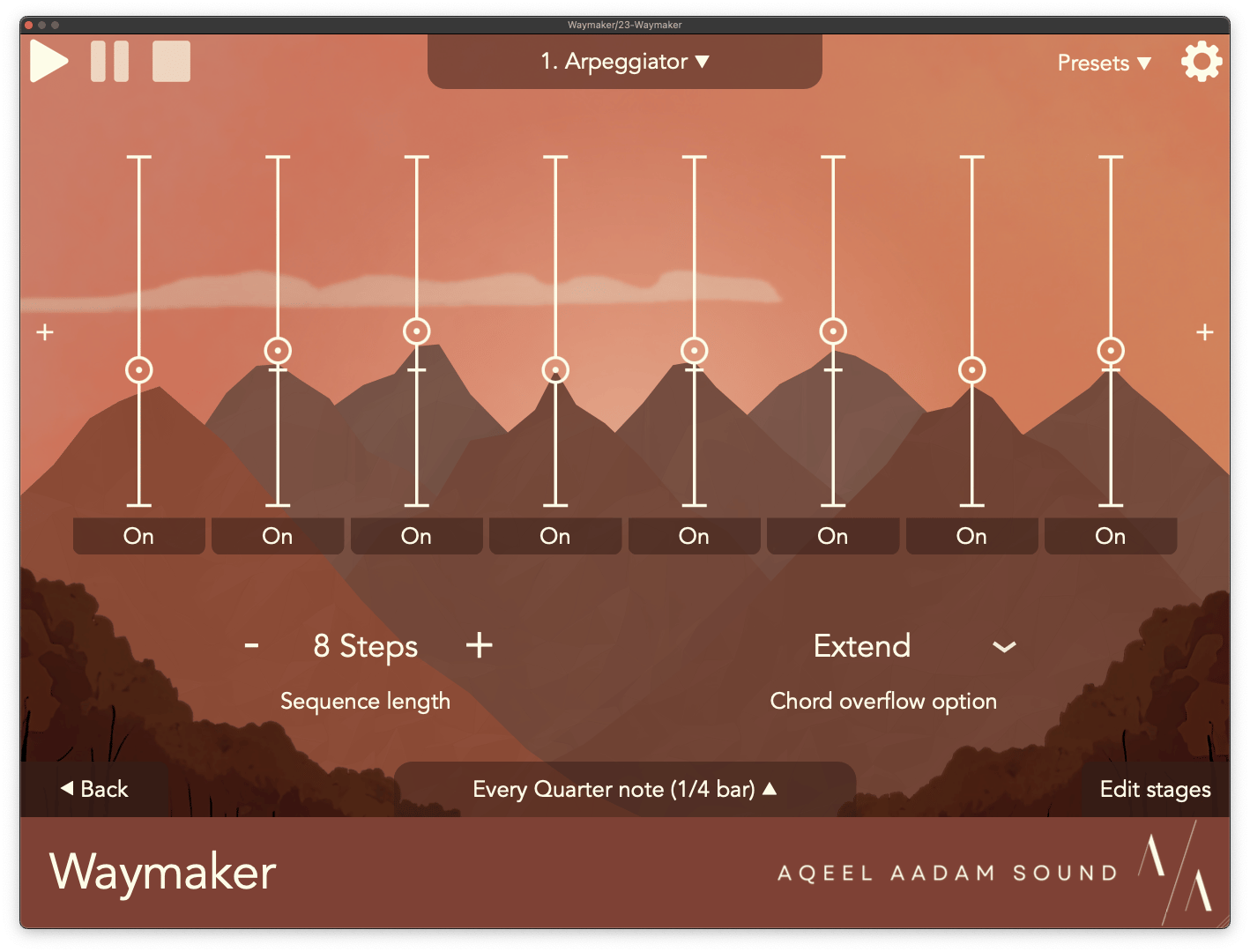
The first addition to mention is something that I’ve personally wanted for a long time. Waymaker now has an Arpeggiator, which can be used with external/live MIDI input or internal sequences to create custom arpeggios. It’s an essential tool in a sequencing toolbox, and I think Waymaker’s arpeggiator offers some very fresh new features.
The most important feature is that the Arpeggiator functions like a sequencer. You can define a totally custom arpeggio, telling Waymaker to play the lowest note in the chord, then the third, then the second, etc. We all have the traditional up, down, up-down style arpeggiators in our DAWs already – Waymaker lets you do something more custom.
Pairing with this custom sequence, Waymaker will also intelligently expand your chord as needed. What happens if you tell Waymaker to play the fourth note in a chord, but send it a chord with only three voices? By default, Waymaker will expand your chord into the next octave as necessary to reach a note, but there are some other options as well (such as wrapping back to the lowest note, or just playing the highest available note). With this framework, Waymaker can play notes that are lower than those available in the chord, too.
Together, these features let you create custom arpeggios which maintain their contour, no matter what you play. You can create a chord progression that moves from a simple triad, then a 7th chord, then a 9th or 13th chord – and the arpeggiator will dynamically adjust to play something that matches whatever you throw at it.
Pitch
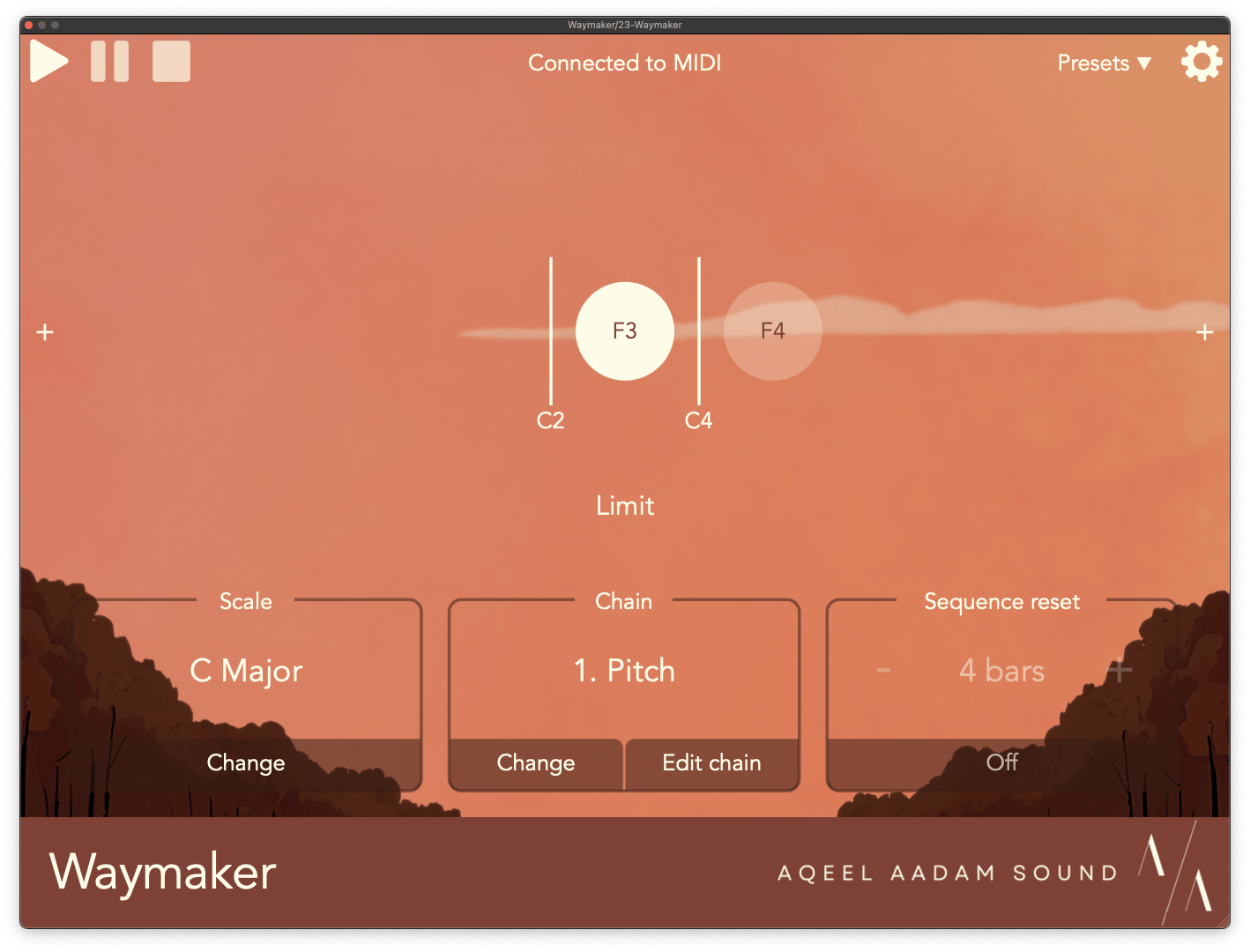
Pitch is a new MIDI utility in Waymaker which – as expected – modifies the pitch of the notes in your sequence. Starting from a humble beginning, the Pitch utility can simply transpose notes, which can be very useful at the start or end of a chain.
Beyond this, Pitch can also be used to limit notes to a certain range. This is incredibly handy with chords or transposed sequences. Rather than producing block chords or producing output that moves into unexpected ranges, you can ensure that all notes exist within a range of pitches. By default, Pitch will repitch a note to fit within the range, but there are some other options available as well (such as omitting notes that fall outside of the range).
The last option in Pitch is the most abstract, but one that I’ve had the most fun with. Pitch can be used to change the distance of a note from a pivot pitch. Concretely, say we set our pivot to C3, and play a C5 (two octaves above). We can reduce the distance between these notes by half to produce a C4 (just one octave above), or increase the distance by two to produce a C7 (four octave up). You can even reduce the distance to zero, which will almost produce the pivot tone. This is a really fun performance tool, because you can reduce the distance to zero, then slowly increase the scale to slowly reveal a melody.
Velocity
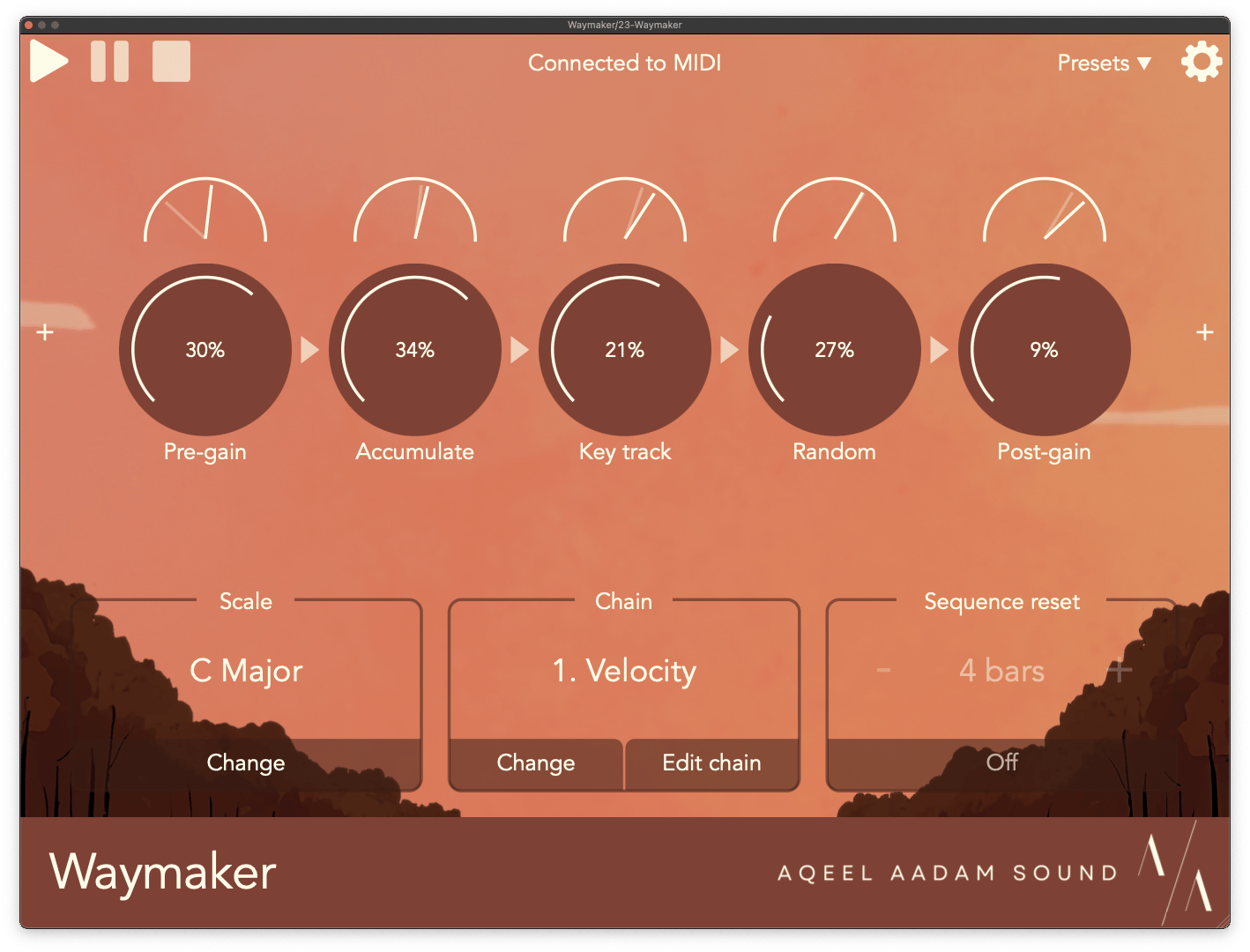
Another new MIDI utility in Waymaker is Velocity. As you can guess, this utility is useful for animating notes by changing their velocity. At its most basic, you can use this utility to increase or reduce the velocity of notes, or add a bit of randomness to them.
Velocity has some interesting algorithmic options as well, though. The first is called Accumulator, which increases the velocity of notes based on how they’ve been clustered together. In the real world, if you play a bunch of notes quickly on an instrument, the notes tend to get louder (think tremolo picking on guitar, or trying to play very fast notes on a marimba). The Accumulator mimics this by increasing the velocity when notes occur closer together. You can reverse this effect though, too, and reduce the velocity of more frequent notes, which can be a fun effect as well. The Accumulator loves sequences with irregular rhythms or probability.
The Velocity utility also has a Key Track option, which changes the velocity of a note based on its pitch. My favorite way to use this is to reduce the velocity of higher notes, which can end up a bit piercing on many synths. But, you can also use this to increase the velocity of higher notes, if that’s what you prefer!
CC Support
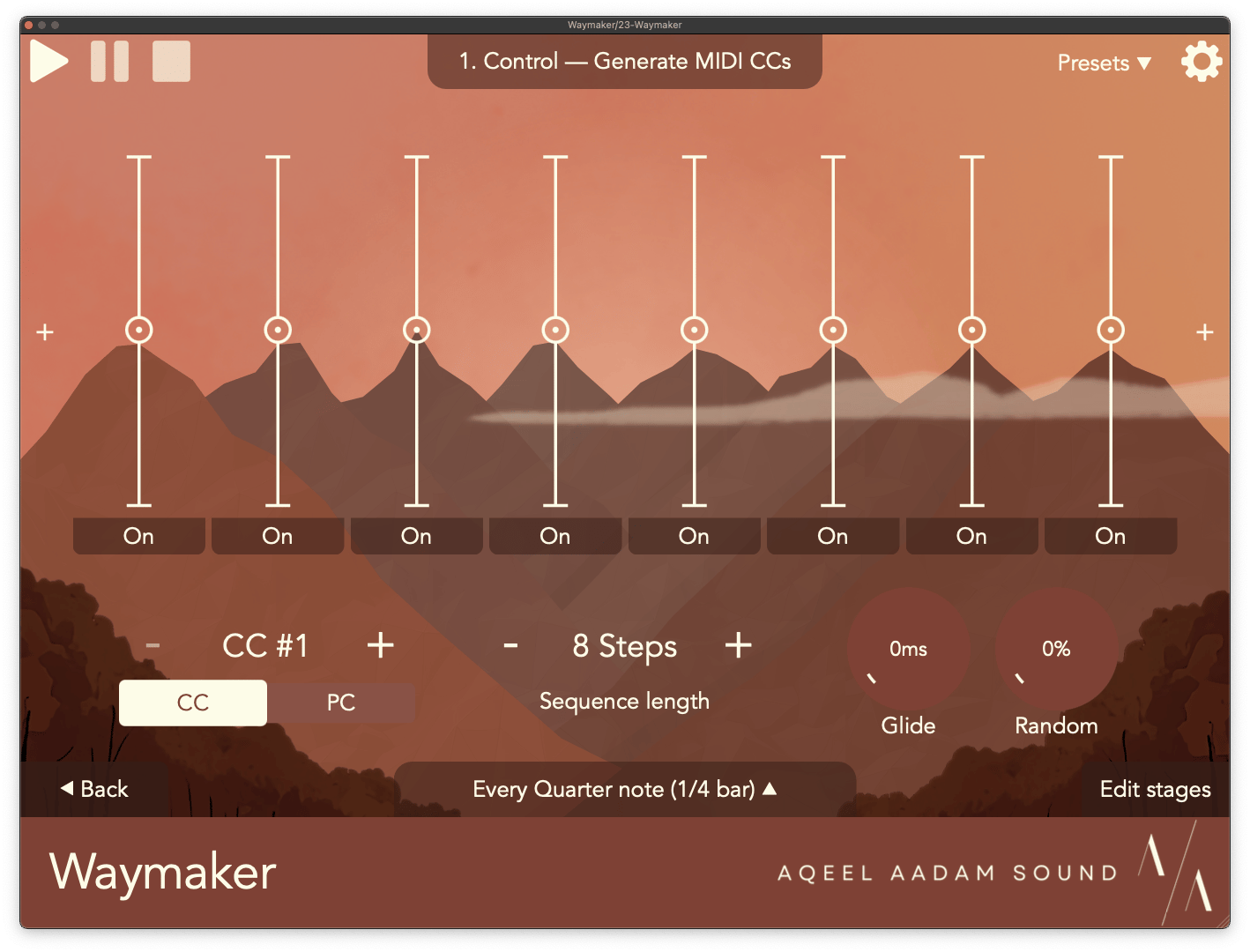
Waymaker now offers full support for CC messages. A new sequencer, Control, can let you create sequences of CC or PC messages for external gear to react to. This is an essential tool in the toolbox to help animate the timbre of instruments, such as opening or closing the filter of a synth based on a certain CC. The Control sequencer also offers random offsets per step, and a glide amount for smooth changes.
Waymaker can also now react to CC input, which can be assigned to modify any controls within Waymaker’s sequencers or utilities. This is found in the Settings menu, alongside the previous parameter assignment.
You can even use those two options together, and use Waymaker’s Control sequencer to modify another sequencer downstream from Control in the chain. You can use this to add random variations or pseudo-LFOs, for incredibly interesting, morphing sequences.
Scales
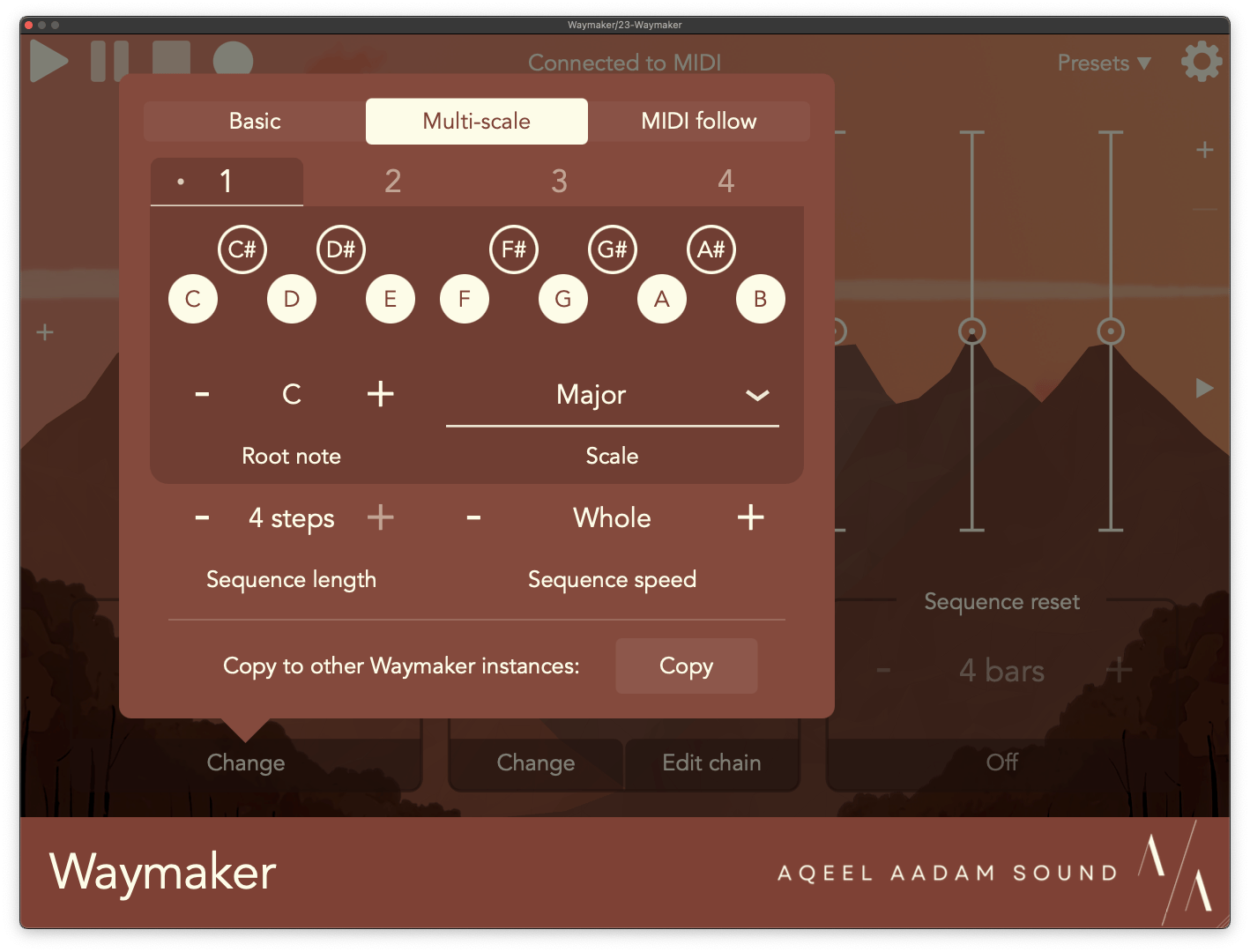
Waymaker’s scale options have been completely overhauled in this update. One frequent request from users was additional control for Waymaker’s scale – either being able to change it on the fly, or moving through more complex, non-diatonic sequences. I was in complete agreement with this request, and had a lot of motivation to make this work.
Waymaker’s scale setting now has three modes.
- You can use the Basic scale setting to maintain the existing functionality, but you can now enjoy two new modes as well.
- Multi-scale is a new, powerful option which lets you define a short sequence of scales. Now, you can set Waymaker to automatically move between up to 4 scales. This will allow for a ton of interesting harmonic motion, such as moving between the major and minor version of the same scale, or dipping into harmonic minor for some bars and using natural minor for others.
- MIDI is your most customizable option, and Waymaker will simply use any MIDI notes fed into it as a scale. You can use this with your DAW’s own sequencer for totally custom chord progressions, or even have Waymaker follow along as you improvise different chords.
Chain editing
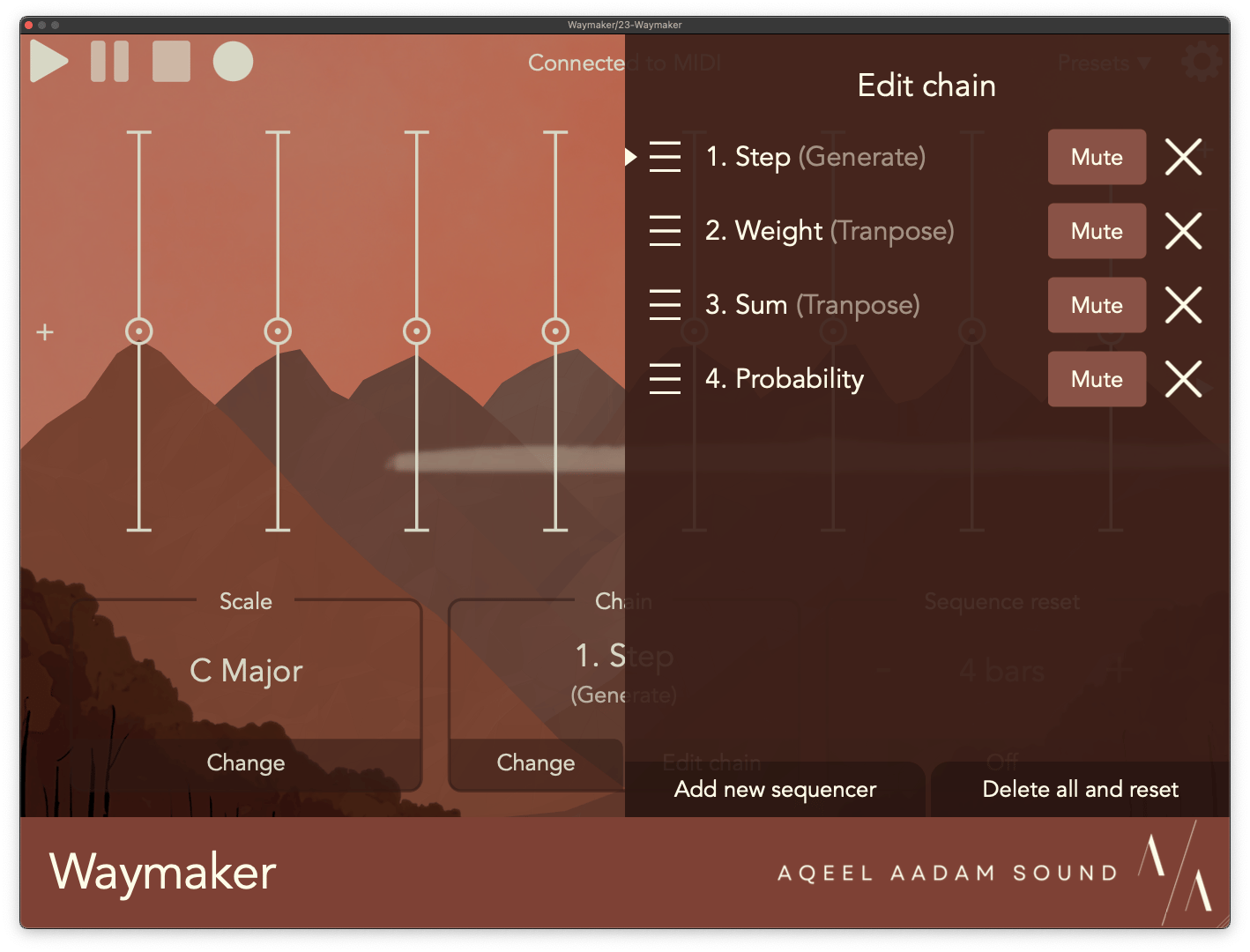
Waymaker’s simple “rearrange” menu for changing the ordering of MIDI sequencers and utilities has been replaced with a full-fledged menu for editing the chain. From this menu, you can now:
- Add or delete sequencers or utilities.
- Mute them.
- Click to go straight to a sequencer/utility.
- Delete all and reset.
And of course, you can still rearrange the chain.
Improvements
Many of Waymaker’s existing sequencers are getting some huge new updates as well.
Step sequencer
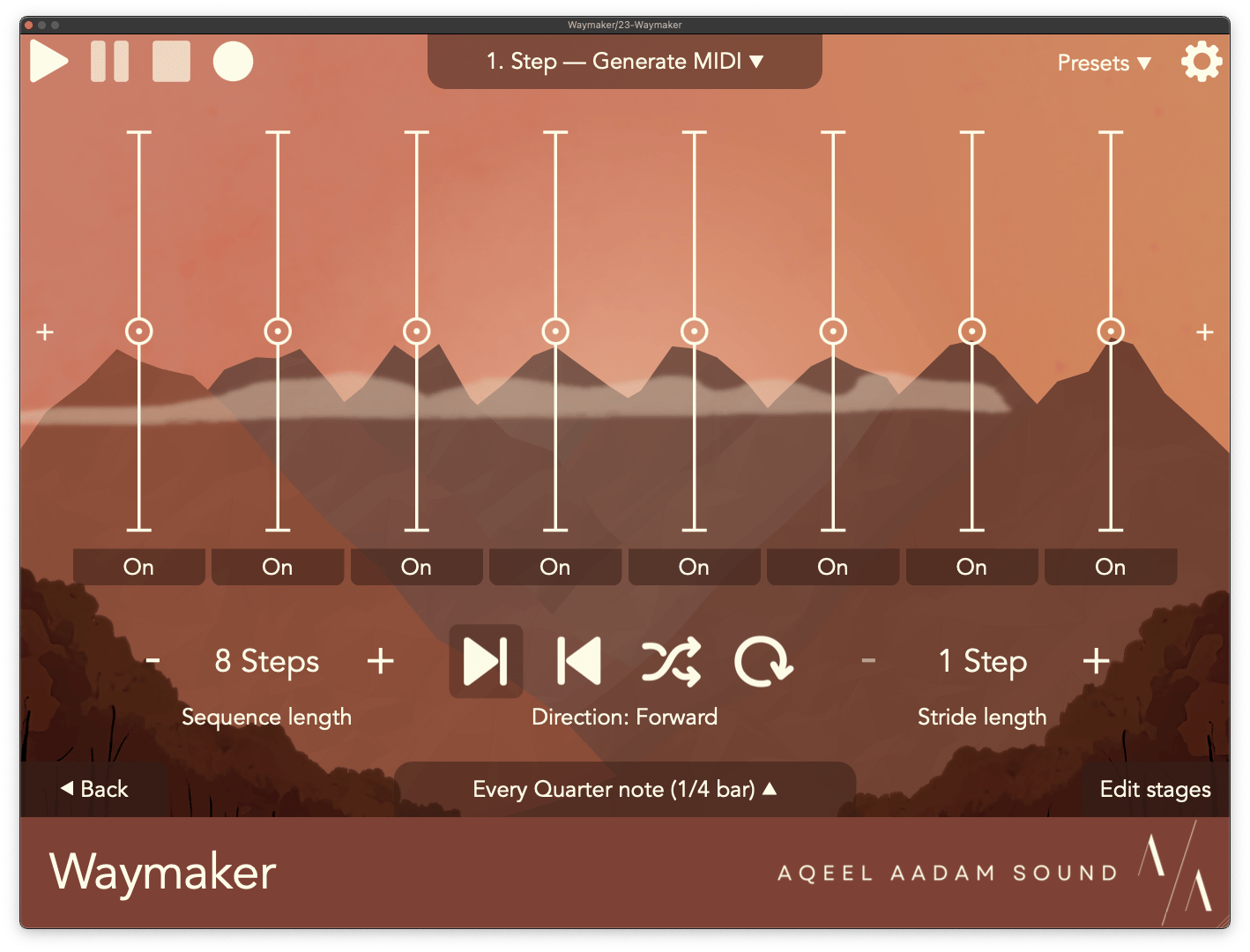
Waymaker’s most basic sequencer, Step, now has a ton of new tricks up its sleeve. I wanted to beef it up with some new capabilities, and especially enable performance and jamming. Step is often where melodies start or get refined, so it only felt right to give it some love.
- You can now change the Direction of a sequence, playing it forward, backward, randomly, or repeating the current stage. These are great options for live performance, and I’ve had a lot of fun jamming on these on the iPad. I particularly like “stalling” a sequence by repeating the current stage, until decided to release it.
- The Stride length is another fun new control in Step. This lets you change how many stages the sequencer will move at once. By default, sequences have a Stride of one, but increasing this can totally reimagine a melody. I recommend trying an odd stride length into an even sequence length (such as 3 or 5 against 8).
- Finally, you can now skip certain stages, rather than just turning them on/off (analogous to having a note or a rest). A stage can now be skipped over entirely, effectively shortening the sequence and removing that stage from it.
Chord
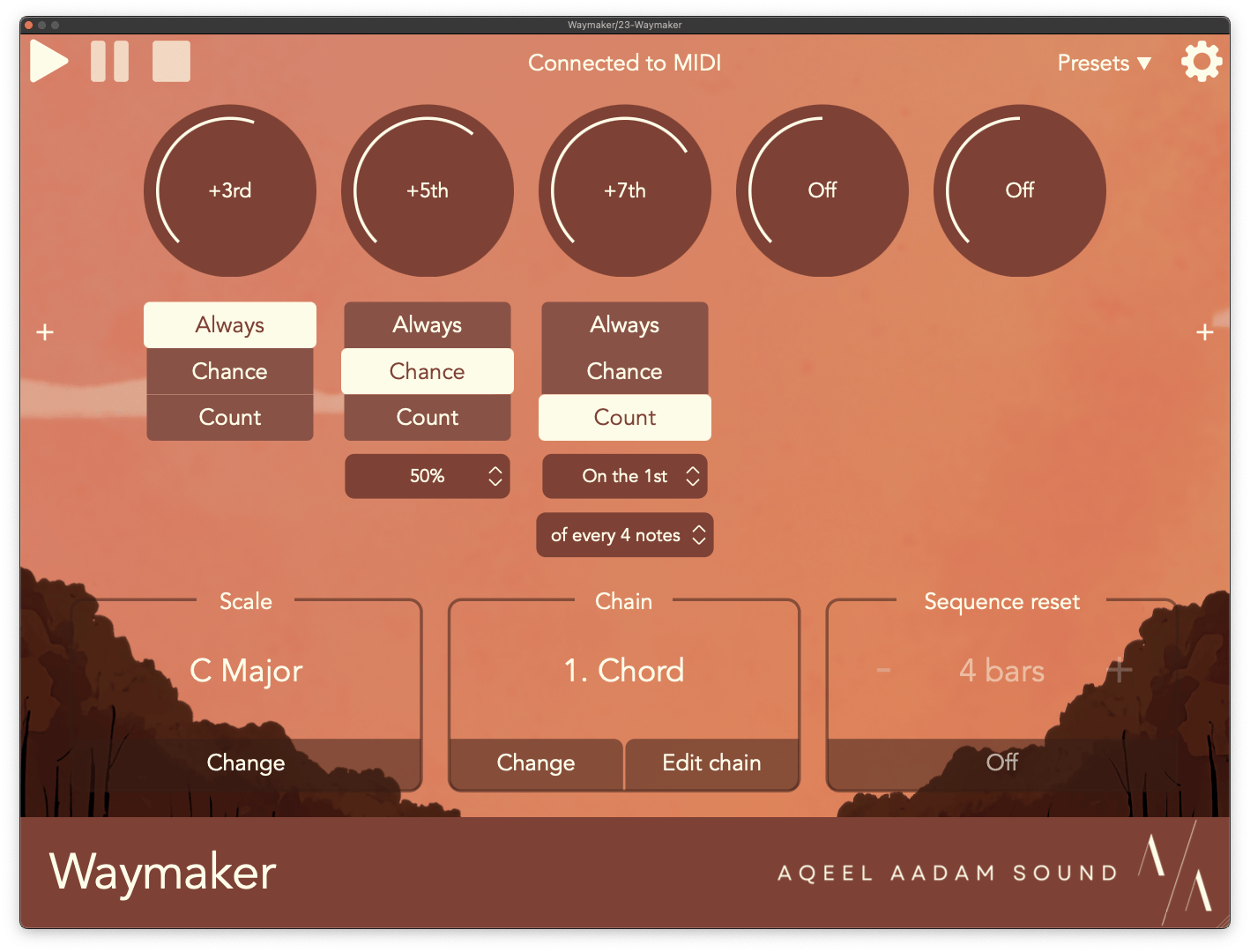
Chord has been one of my favorite Waymaker utilities for a while, and it’s gotten some really fun updates in v1.1. Now, pitches can be randomly or algorithmically generated whenever a chord is created, rather than generating the same thing every single time.
- Intervals can be generated via probability, randomly changing the contents or a voicing of a chord each time its played.
- Intervals can be set to play on a consistent timeframe, such as on the first of every 4 notes received.
Both of these can yield some very interesting and musical results. I like using the probability option to create a complex chord (e.g., a 9th or 13th chord) and reduce the probability of the higher extensions, to get a chord with randomized complexity and quality.
The algorithmic option is really fun too, to create miniature sequences within the harmonies that you’re adding. The Chord utility doesn’t have to be used to make chords alone – you can use it just to add a single harmony to your melody. Try using it to add a 3rd or an octave to your melody every few notes!
Automatic assignment
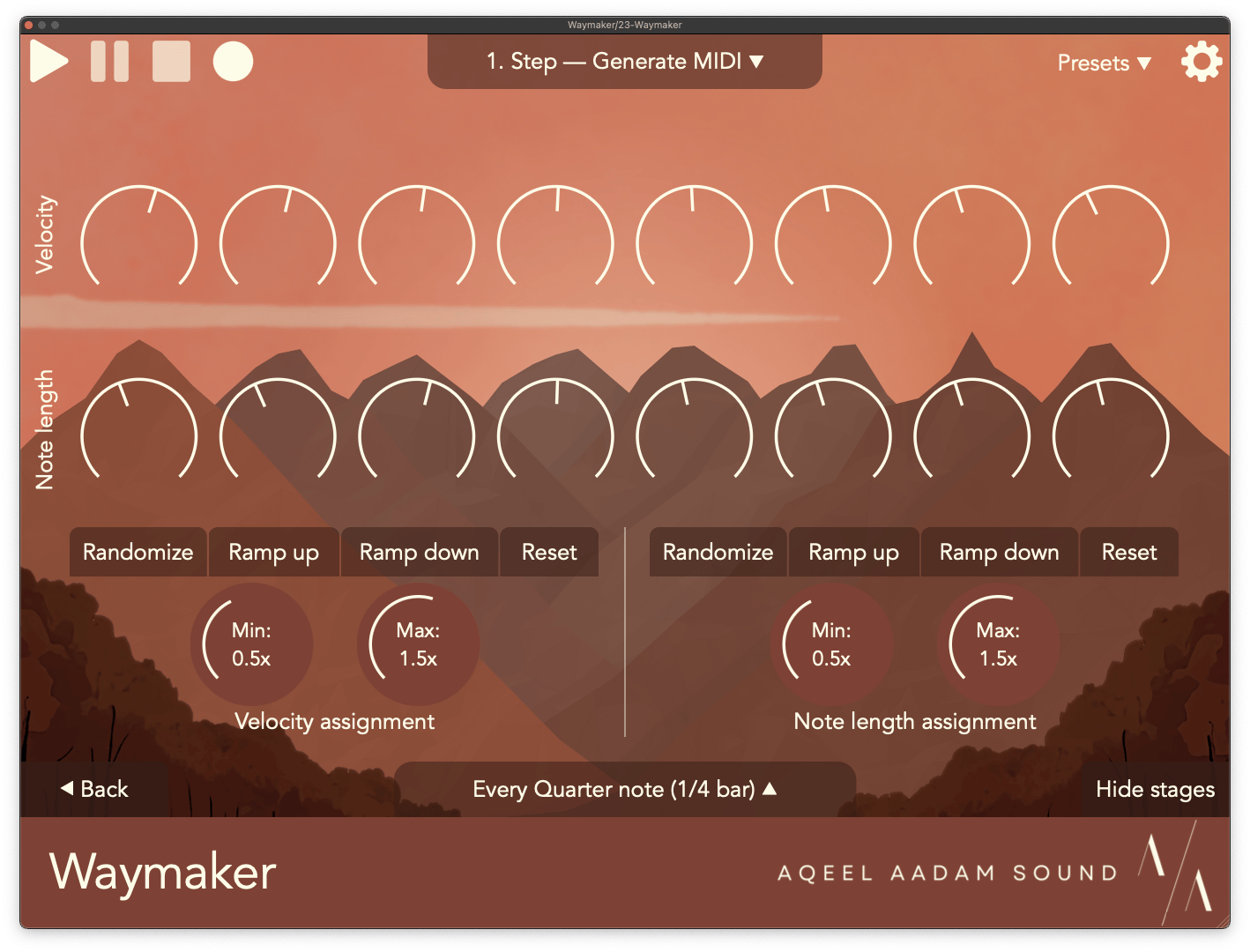
Many of Waymaker’s sequencers now feature options for automatically assigning stage values, for simplicity and convenience. All of the Velocity and Note length sequences can be automatically assigned in Waymaker’s various sequencers, allowing you to quickly define common sequences within a given range (e.g., ramping from one value to another across the sequence, or just randomizing within a range).
The Weight sequencer now allows you to automatically assign probabilities as well across its stages. You can easily set all stages to have the same probability, or quickly define some other common patterns (e.g., the first stage is most probable while the last stage is least).
Brownian weighting
Waymaker's Brownian sequencer has another new mode as well, called Weighted. In this mode, Brownian's probability dynamically changes based on where the sequencer currently is within its range. When sequencer is at its default value, it will use the exact probability of rising and falling set by the probability knob. As it branches out towards the minimum or maximum value, the sequencer's probability will increasingly weight towards going back to the center. As a result, this mode prefers to stay closer to the center value, which can yield some very nice and natural sounding melodies.
Sequencer advancing
Waymaker’s sequencers can be advanced by incoming MIDI notes, which has always been a favorite feature of mine, especially for defining irregular rhythms. The sequencers can now be set to advance only when a certain number of MIDI notes have been received. Rather than advancing on every single note, you can set the sequence to advance on every 2, 4, 8, etc. notes.
This can be really nice to set up longer, growing sequences, such as a random melody which gets transposed by another sequence on every 8 notes.
Sound engine
Waymaker now includes a basic sound engine included, for configuring sequences without connecting to a sound source. In DAWs that support this (e.g., Ableton or Bitwig) you can enable sound output from Waymaker directly, if you want.
Furthermore, on iOS, Waymaker can now be used as a standalone app, for jamming on the sequencer directly.
Preset system
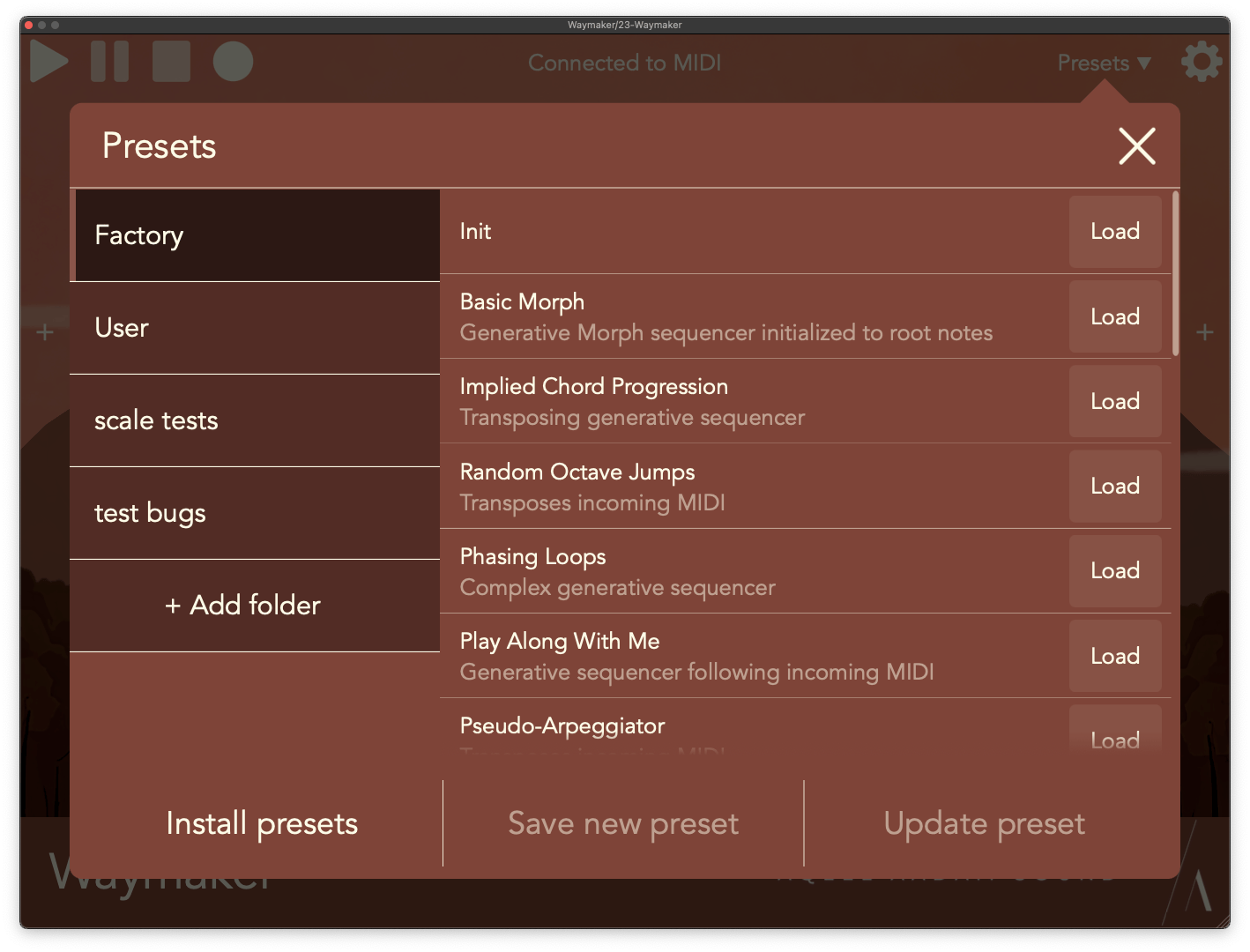
Waymaker’s preset system has been overhauled, bringing all of the features of Outgrowth’s preset system Waymaker. Presets can now be stored in folders, which can be exported and shared with friends. You can also now save and load scale data to presets.
Visual cues
Finally, Waymaker now has some updated visuals throughout the UI, with a focus on convenience and conveying more information.
- When moving sequencer sliders, most sequencers will now a horizontal line to easily align sequencer stages to each other.
- There are now separate background visuals when editing a sequencer, to help differentiate which view Waymaker is currently in.
Bug fixes
- When creating a sequencer, its speed is copied from the sequencer before it in the chain, for convenience.
- Waymaker can now be set to completely stop processing external MIDI when paused.
- Fixed some issues with calculating intervals/chords.
- Controls under parameter control now use the same scaling as their UI knobs (e.g., sequence free timing).
- Presets now load without pausing the sequence.
- Fixed high CPU usage when assigning parameter control.
- Fixed some menus being unresponsive with mouse or Apple Pencil.
- Addressed some crashes when changing a sequencer while running.
- Fixed scale dropdown selector not always working.
- Play/pause/stop buttons properly update when under MIDI control.
- Custom scales use proper root note now.
- Fixed rare issues with second notes in the sequence getting dropped.
- Fixed issues with parameter assignments when adding or deleting sequencers.
- Fixed some issues with save state.
- Lots more stabilities and efficiency improvements.