


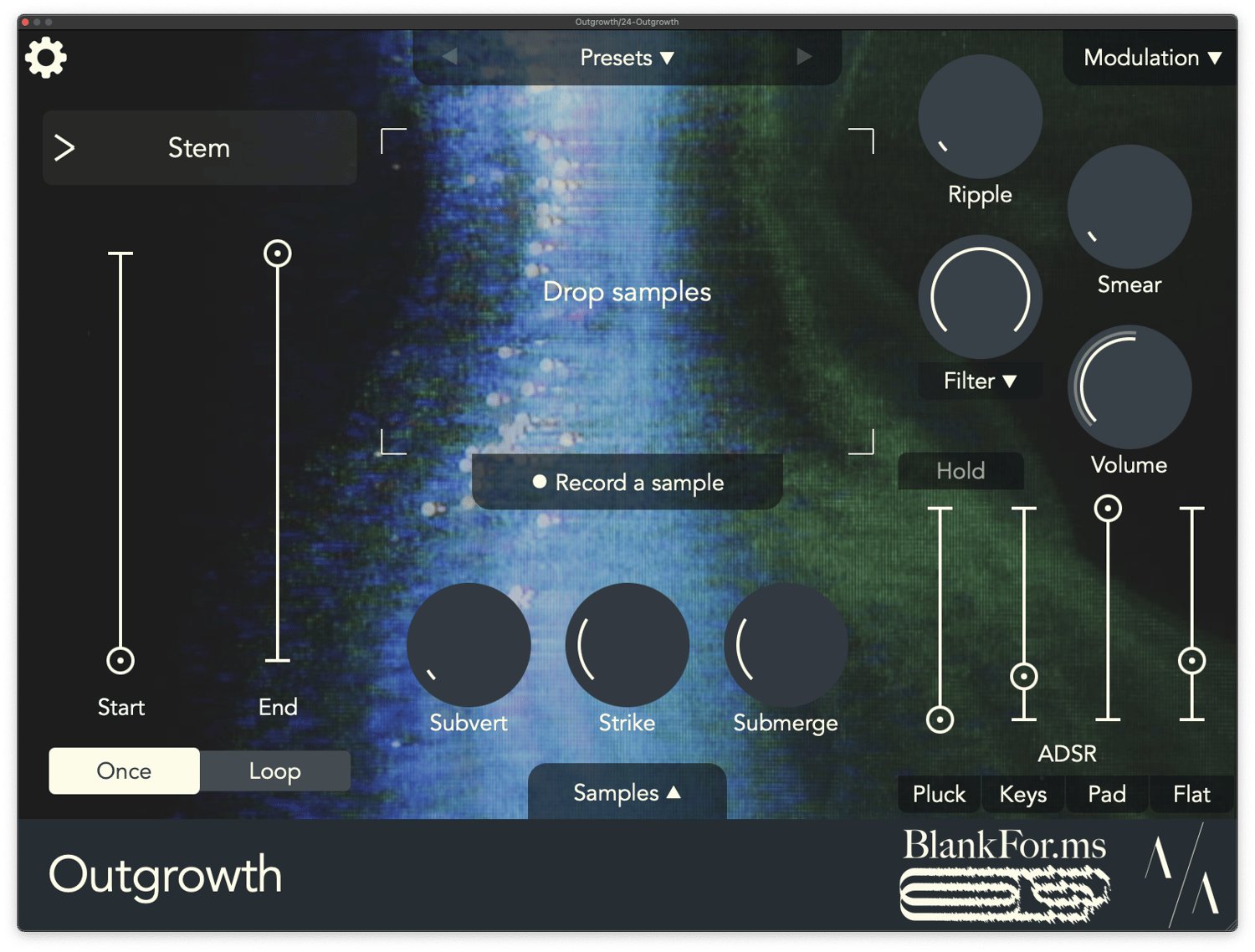
Outgrowth version 1.1 is finally here! Tyler and I really tried to drill down on every request and bug we’ve received since Outgrowth first released back in December. It’s been amazing hearing from you all and it’s clear from your excitement that you all really saw some potential in the device. So thanks for all of your ideas, and we hope this version satisfies as many of them as possible! Read on below for a full list of updates, bug fixes, and a bit of a future roadmap.
Recording
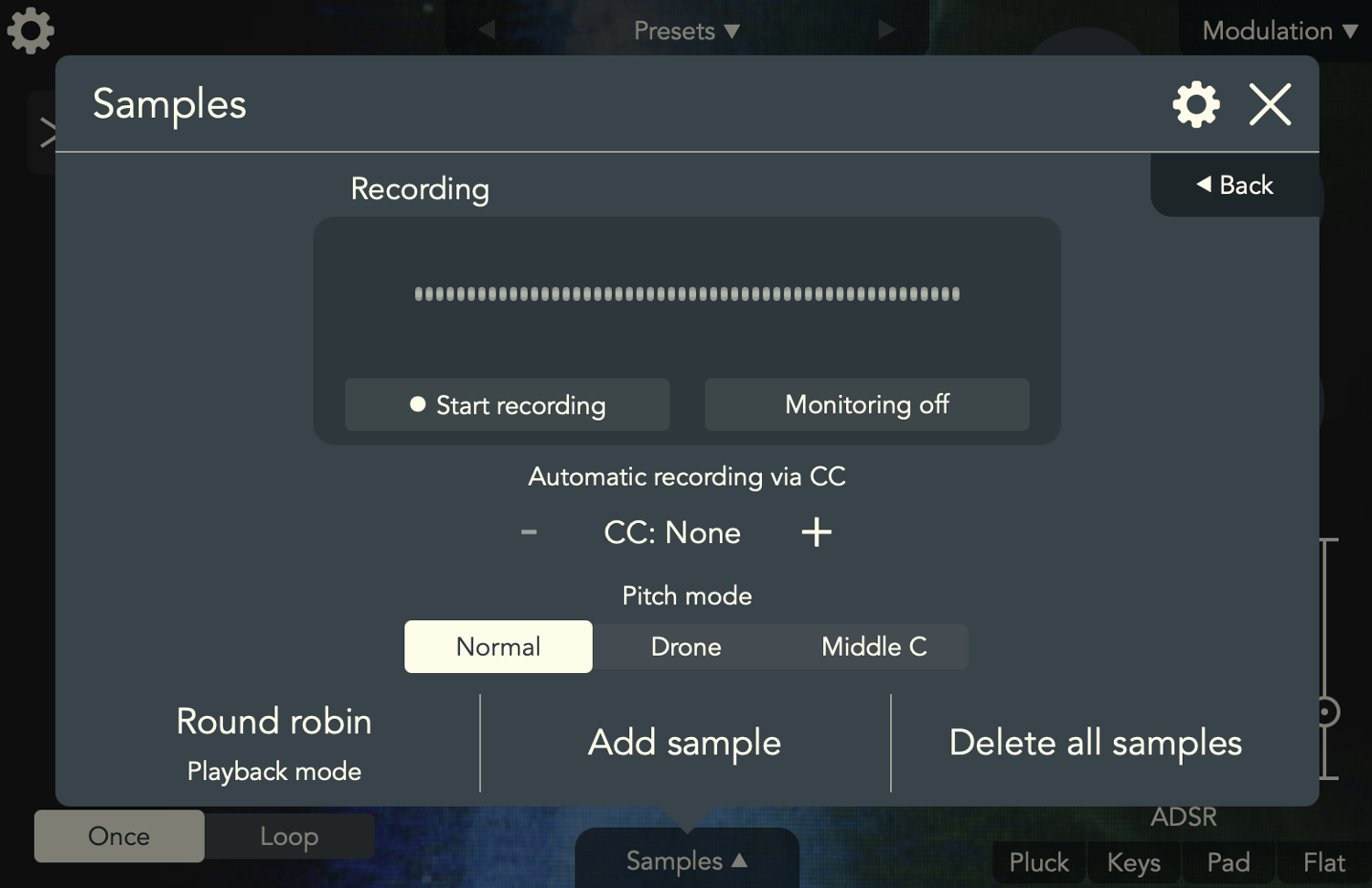
The biggest new addition, and the number one feature request from day one, is the ability to record straight into Outgrowth. This addition really takes Outgrowth from a “sample-based instrument” to a true sampler. We’ve been having a ton of fun with this in testing, and we think you’ll love it too. Just humming into the iPad microphone or striking my water bottle with a pen yields a ton of material to explore, and with all of that beautiful background noise and texture – that’s what Outgrowth is really about.
Full recording capabilities are available on both desktop and iOS. On desktop, you’ll need to assign a sidechain input to Outgrowth to get started, and on iOS you’ll just have to load the AUv3 into the effects slot of a track (rather than the instrument track). You can get started instantly by recording right from the home page, or head to the Samples window to find the location of the new fully-fledged recording menu. There you can toggle monitoring options, configure automatic recording via CC or parameter control, and set some metadata for new samples. Recorded sounds immediately become samples in Outgrowth, allowing you to instantly morph and stretch them as far as you want.
Harmonic filter
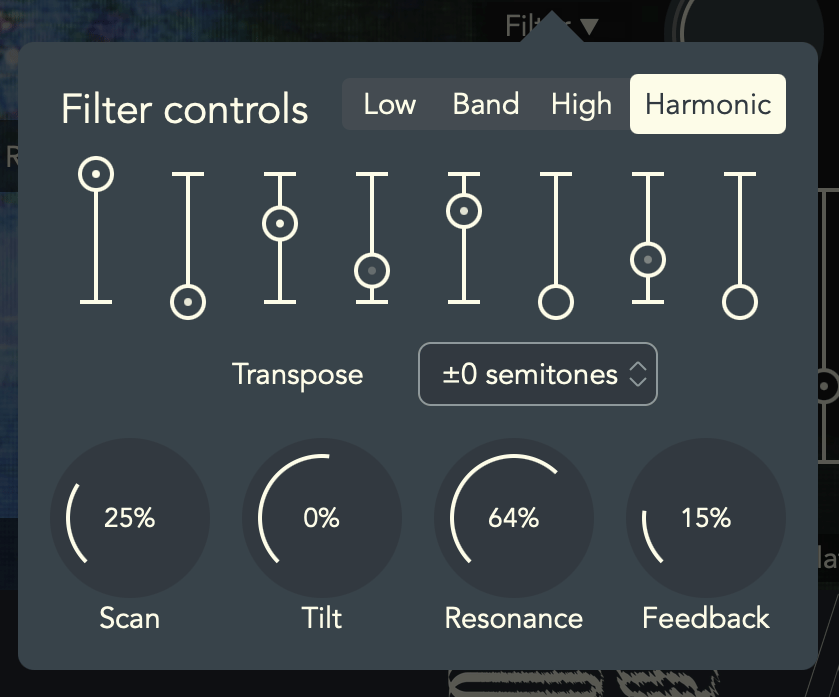
This one might be my personal new favorite addition – a new filter mode that we’re calling the Harmonic filter. This is a totally new filter option that stands in contrast to the standard low/high/bandpass filter archetype. It’s basically a set of resonant bandpass filters that follow the pitch of notes as you play the keyboard. The end result is a brand new way to turn field samples and other unpitched sources (like percussion) into unique synths or beautiful pads.
There are 8 filters tuned to the first few harmonics in the harmonic series. This lets you emphasize the exact harmonics in the series that you want to bring out, and we’ve got a couple of additional controls that let you scan through the harmonics or instantly rebalance them. It’s all fully modulatable as well, so you can make all of this morph generatively, or react to your performance (you can even pitch bend the filters!).
We think that this really opens a whole new world of capability in Outgrowth, and makes it much friendlier to field samples and other non-tonal audio. You can even use this mode with pitched samples to bring out or suppress certain harmonics in the signal, similar to drawbars on an organ. I’ve been having a ton of fun working with textural samples that I had never really reached for before.
Additional sample options
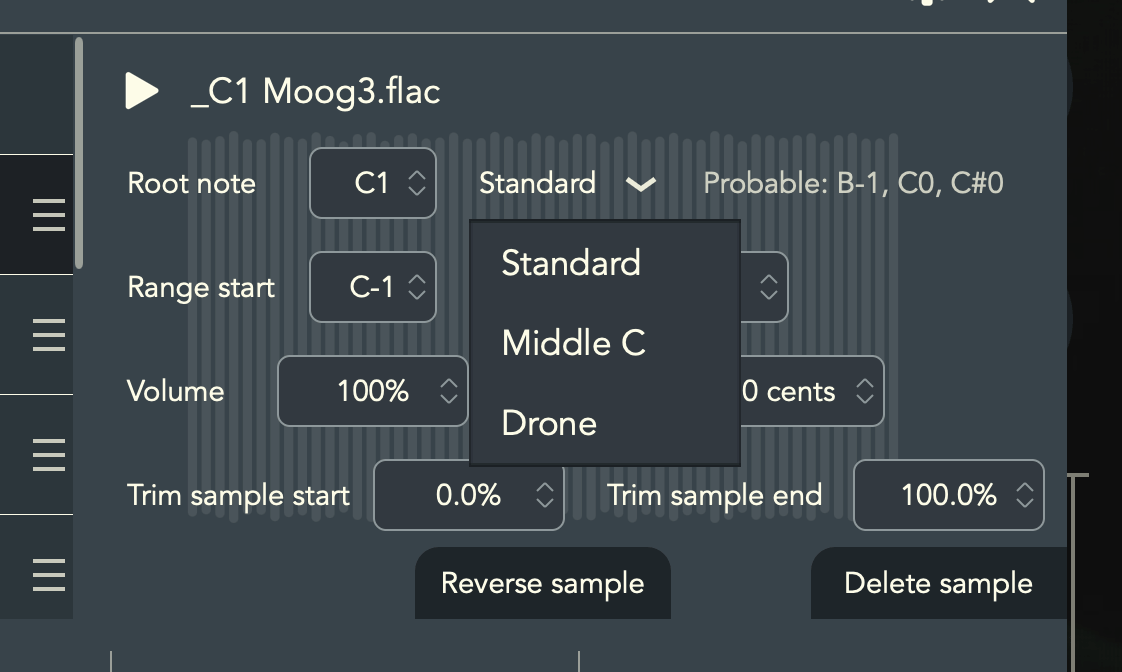
We’ve also overhauled the Sample configuration to make it much more flexible and approachable. We’ve rebuilt the sample range assignment from the ground up, and it’s now totally decoupled from its root note. Previously, a sample’s root needed to be in its range, but that’s not true anymore. This can be really nice to set up a layered patch where a sample is only played on certain notes, which might be far outside of its range.
Samples now also have three repitching options, in addition to the traditional mode which maps the sample’s root note to the keyboard as you’d probably expect. There’s a new “Middle C” mode which maps the sample’s root note to middle C on the keyboard. You might want to load a bunch of samples and preserve their pitch relative to each other, or maybe you just don’t care what the real root pitch of a sample is. The other new mode is “Drone”, which removes repitching entirely. This can be nice for field samples, and I particularly like using it to layer a percussive sound on top of the whole keyboard to create a bit of attack or key noise on my sound.
Samples also have two new repitch options. Traditionally, Outgrowth preferred to pitch samples down when they were loaded – this is because pitching a sample down historically tends to sound a bit better than pitching it up. Now, there’s a new mode that minimizes how far a sample is repitched. This basically computes the sample’s range such that the root note is near the middle, so it doesn’t get repitched too much when loading multiple samples. For example, when loading a bunch of octaves, previously they’d all be pitched a full octave down, but now they’d only be repitched a tritone up or down.
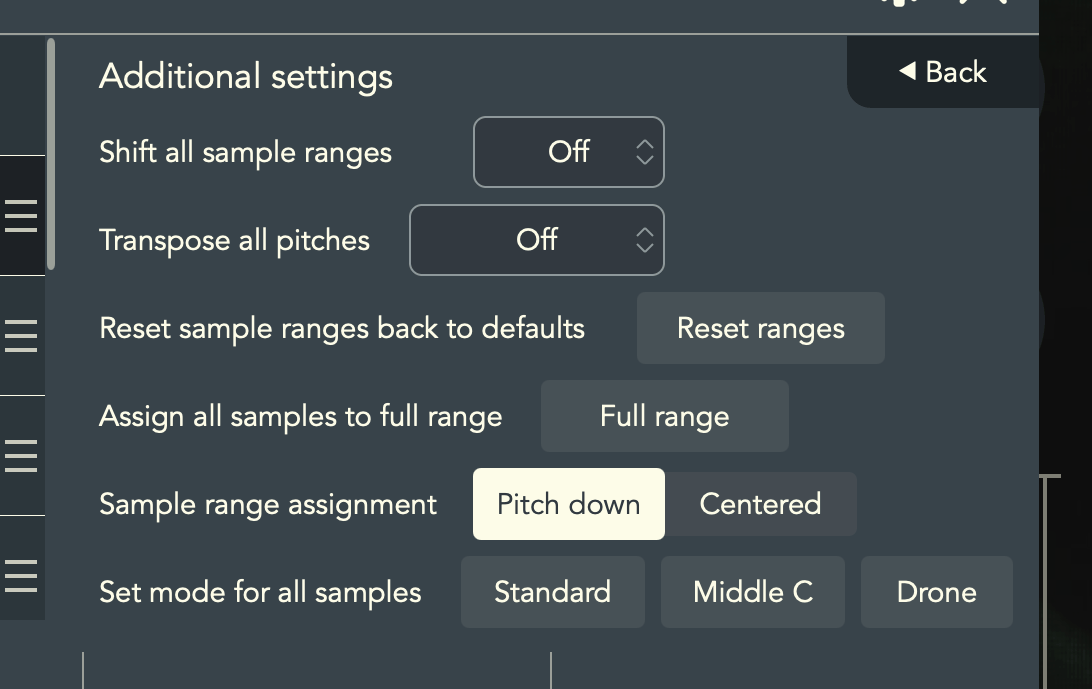
From the settings, you can quickly change the modes of all samples as well.
Modulation
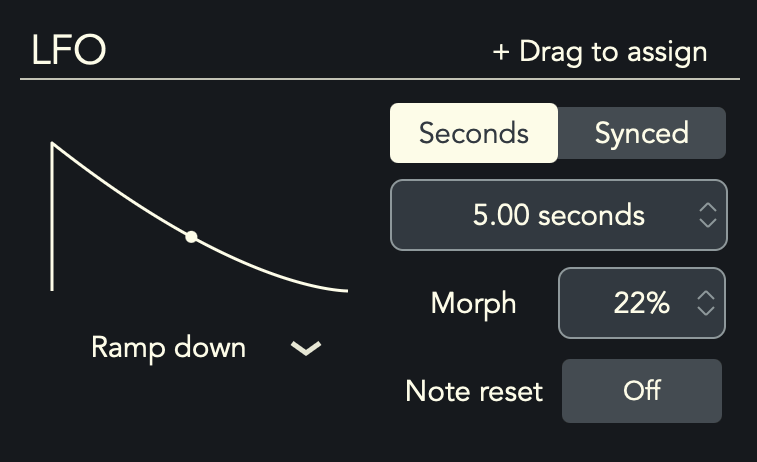
We’ve added a slew of new LFO shapes and options as well. You can switch between a number of unique LFO shapes (with their own unique morph settings!) to really dial in your sound further than before. In addition, LFOs can be reset each time a note is played, giving you another layer of performance control. I like using this with the new stepped random LFO shape to create a sample-and-hold functionality with every note that I play.
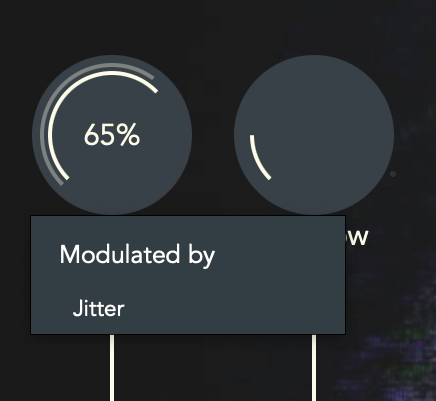
You can also now right click any knob to see its modulation assignment, and go right to that modulator in the menu from there.
Additional features
- Preset manager now includes tags, favorites, and navigation buttons for quickly breezing through presets.
- Hold mode for holding notes and chords until another is played.
- Preview samples and see which are being played from the Samples window.
- Pitch range for pitch wheel and MPE are both configurable now.
- Smear’s reverb is now fully stereo when “enhance stereo” is enabled (nice for working with mono samples).
Bug fixes
- Improved analysis of samples, root note detection, and sound quality for Submerge.
- Optimized the speed of saving, to avoid audio hiccups in DAWs which frequently snapshot plug-in state (e.g., Reaper, AUM).
- Fixed volume scale of sample visuals.
- Fixed some UI elements not updating when loading a preset.
- Fixed bugs with presets containing overlapping sample filenames or filenames with non-ASCII characters.
- Fixed bugs with registering CCs.
- Fixed issues with deleting presets hanging.
What’s next?
If you’ve read this far – I’ll give you a little teaser about what’s coming next in the world of Aqeel Aadam Sound. I’m putting the finishing touches on a brand new product that I’m extremely excited to get out there. It’s a sibling to Outgrowth in some respects, and they have a lot of shared DNA. I mean that in two senses. The first is that much of Outgrowth’s original code actually came from this product, which has been on the shelf for years. The second is that I think Outgrowth set a new standard for quality and feature density that I want to meet (or exceed) for all new products going forward.
All will be revealed in due time, though I will say that this product is about all things textural and atmospheric. You can probably tell by now that I’m a real junkie for finding ways to bring dimension and depth to music. This next endeavor brings this in spades.